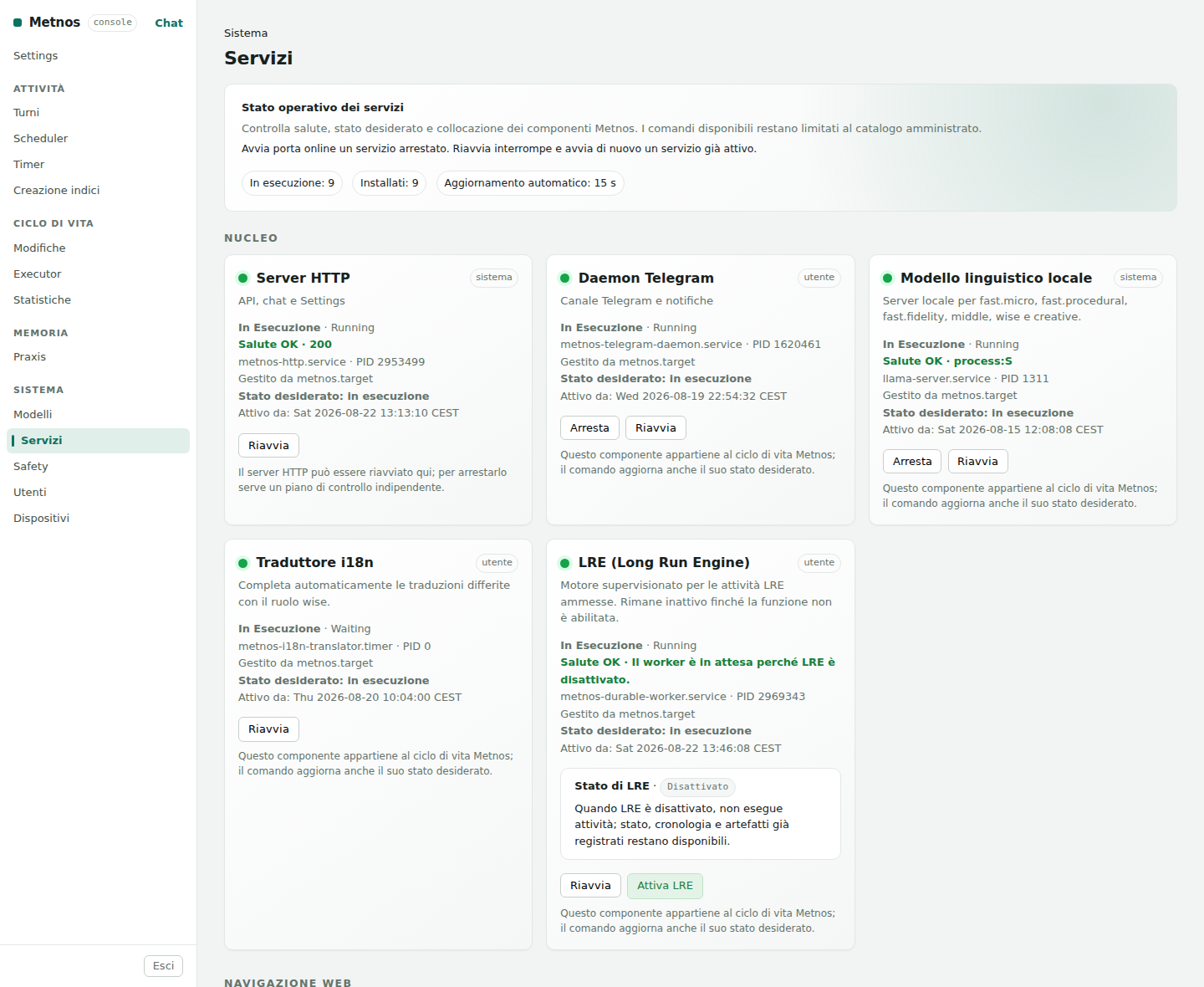
The System section presents the components that an administrator can inspect or configure through the web interface. It does not catalogue every internal detail: it explains the purpose of each page, the actions it permits, and the checks required after a change.
| Area | What it governs | Typical action |
|---|---|---|
| Models | The LLM contracts, embedding model, and vision model that are actually configured. | Inspect a functional tier or change an editable configuration. |
| Services | Health, desired state, and placement of supervised components. | Restart a known service and verify that it becomes healthy again. |
| LRE (Long Run Engine) | Long-running, persistent workloads divided into accountable units. | Monitor a workload's progress, events, limits, and artifacts. |
| Safety | Deterministic signatures that decide whether a command is allowed, requires approval, or is forbidden. | Understand why a particular action was admitted or stopped. |
| Users | Identity, role, autonomy, paired channels, and preferences. | Create a guest and grant only the autonomy they need. |
| Devices | Paired computers on which remote executors can run. | Pair, inspect, or revoke a device. |
The administration pages keep several easily confused conditions separate. A process may be running without being healthy; a component may be healthy while one of its functions remains deliberately inactive; a capability may be installed but disabled. Likewise, pairing a channel or device does not automatically grant every action. Identity, autonomy, policy, and executor authority remain separate controls.
A dependable change always follows the same sequence: read the effective state, choose an action from the closed catalog, wait for the system to converge, then check health and desired state again. The interface does not expose a generic shell and does not turn arbitrary values into system commands.
Administrative access. These pages may contain operational configuration and user data. Open them only through a trusted administrator session. The public documentation contains neither secrets nor personal values.
Captured from the real web interface of an Italian-language instance. Identifying values, where present in this section, have been replaced with anonymous examples.